Lately, there’s been a lot of buzz around Model Context Protocol (MCP). You’ve probably heard of it.
Today, let’s break it down.
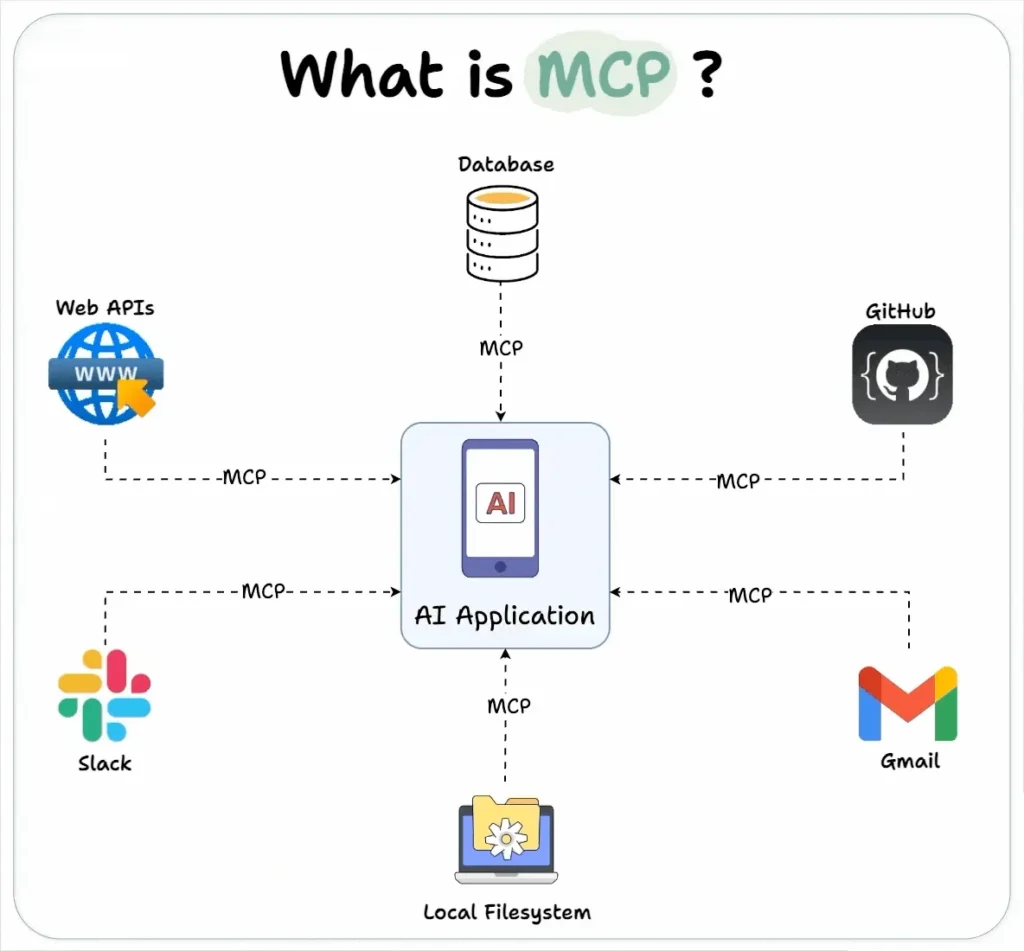
Intuitively speaking, MCP is like a USB-C port for your AI applications.
Just as USB-C offers a standardized way to connect devices to various accessories, MCP standardizes how AI apps connect to different data sources and tools.
Let’s dive in a bit more technically.

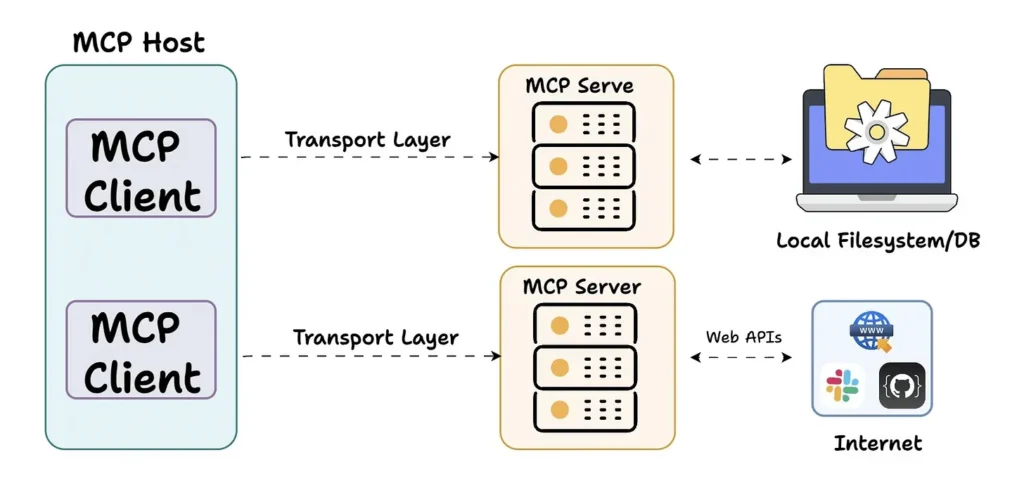
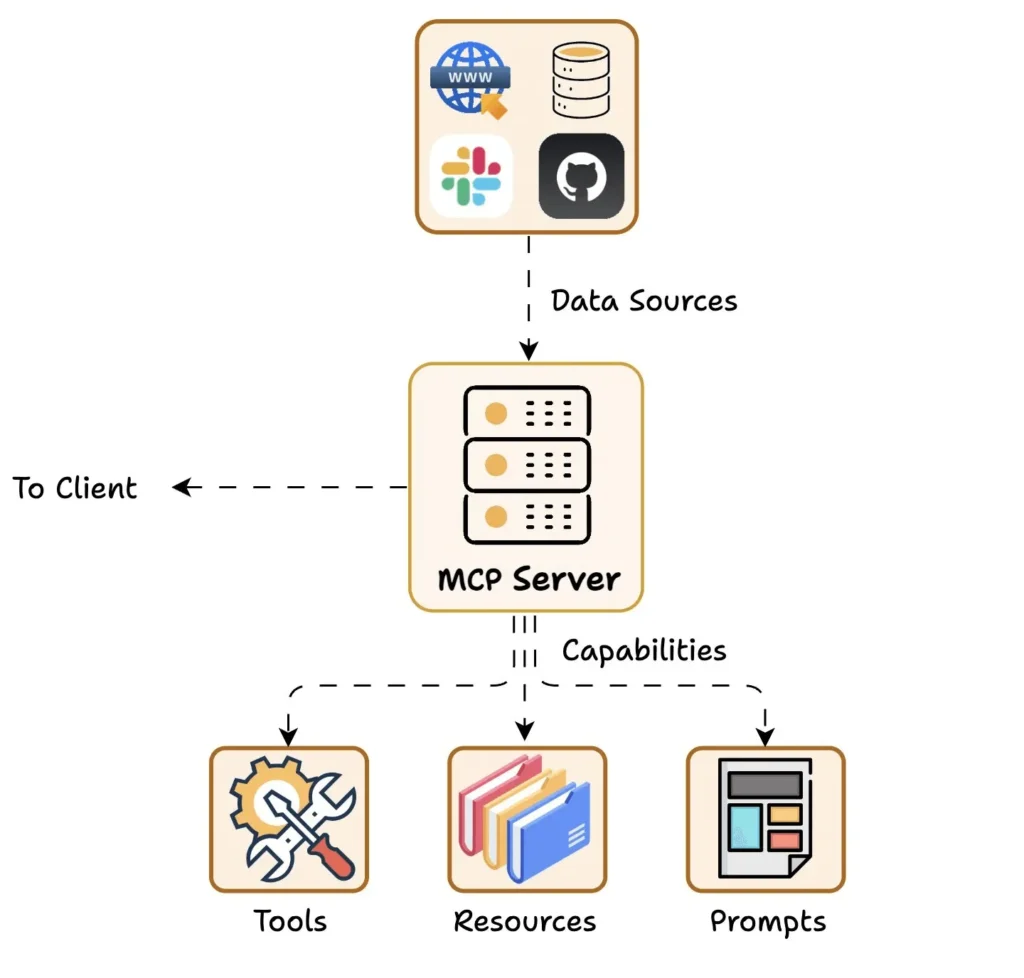
At its core, MCP follows a client-server architecture, where a host application can connect to multiple servers.
It has three key components:
Host
Client
Server
Here’s a quick overview before we go deeper 👇

Host: Represents any AI app (like Claude Desktop or Cursor) that provides an environment for AI interactions, accesses tools and data, and runs the MCP Client.
MCP Client: Operates within the host and enables communication with MCP servers.

MCP Server: Exposes specific capabilities and provides access to data like:
Tools: Let LLMs perform actions via your server
Resources: Share data/content from your server with LLMs
Prompts: Provide reusable prompt templates and workflows

Understanding this exchange is key to building your own MCP client-server setup.

Let’s look at the flow:
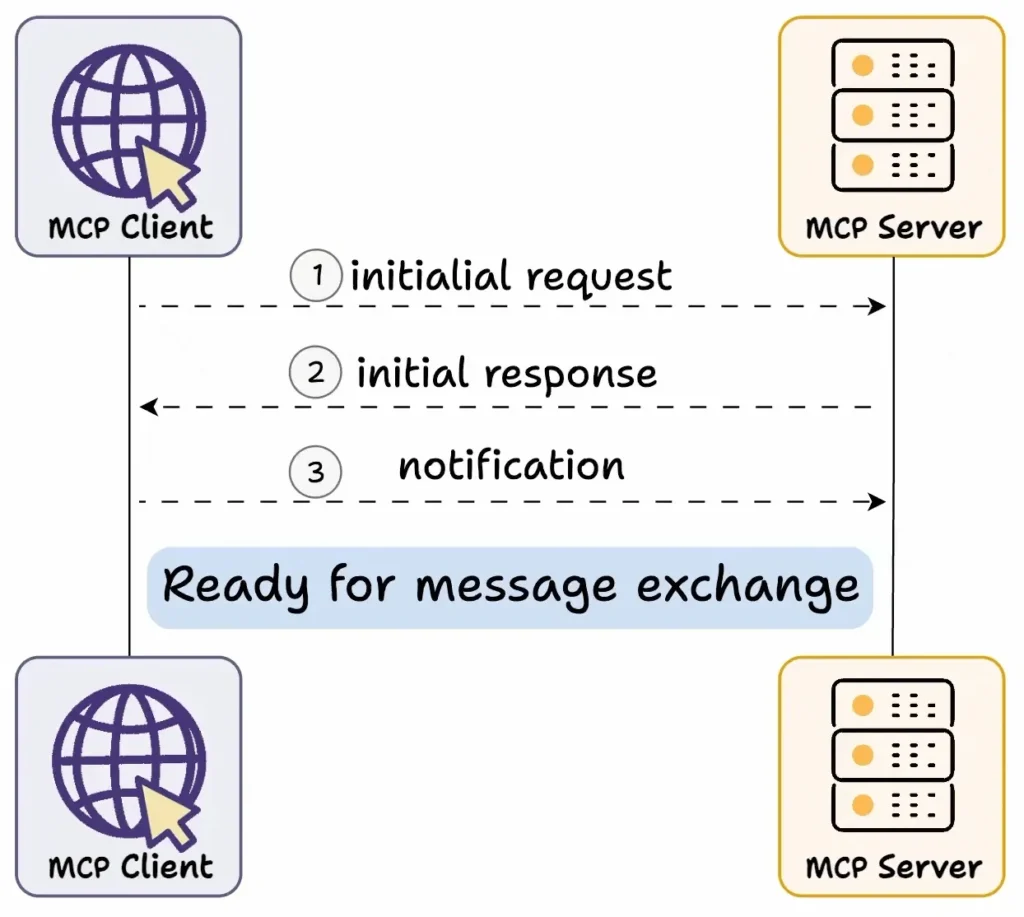
Capability Exchange:
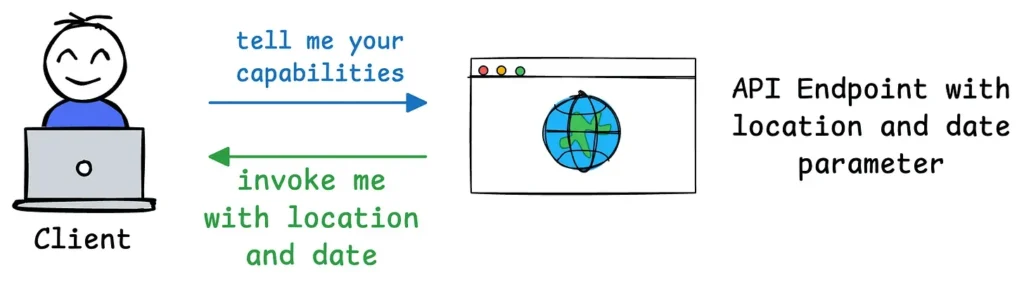
The client sends an initial request to learn the server’s capabilities.
The server responds with a list of its tools, resources, prompt templates, and other features.
📦 Example: A Weather API server may reply with the tools it offers (like “getTemperature”), available prompt workflows, and supported parameters.
Connection Acknowledgment:
The client confirms successful connection.
All further interactions build on this shared understanding.
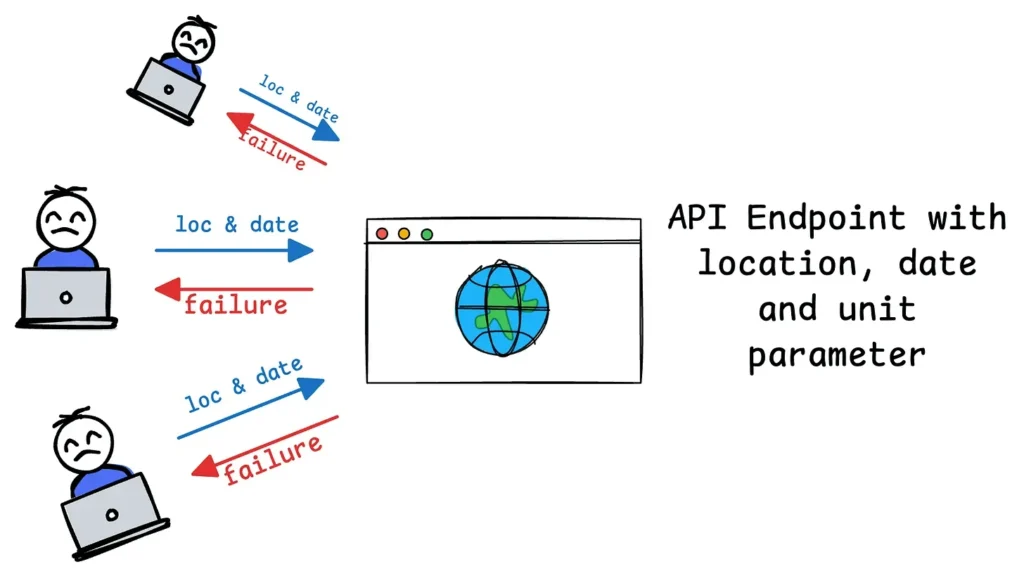
Here’s a common pain point with traditional APIs:
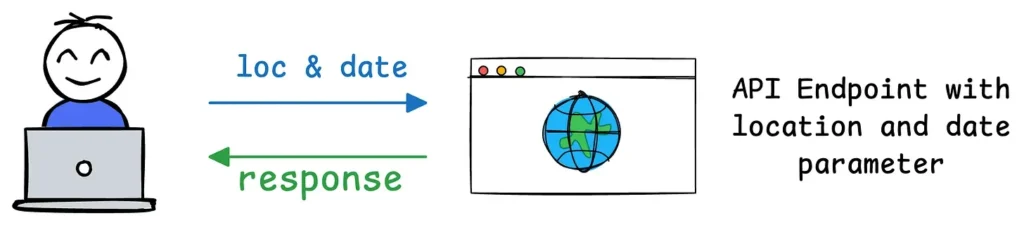
If your API initially requires two parameters (e.g., location and date for a weather service), users integrate their applications to send requests with those exact parameters.

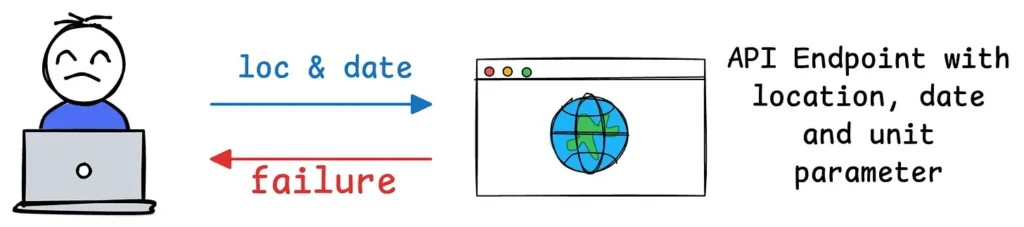
Later, if you decide to add a third required parameter (e.g., unit for temperature units like Celsius or Fahrenheit), the API’s contract changes.

This means all users of your API must update their code to include the new parameter. If they don’t update, their requests might fail, return errors, or provide incomplete results.

MCP introduces a dynamic and flexible approach that contrasts sharply with traditional APIs.
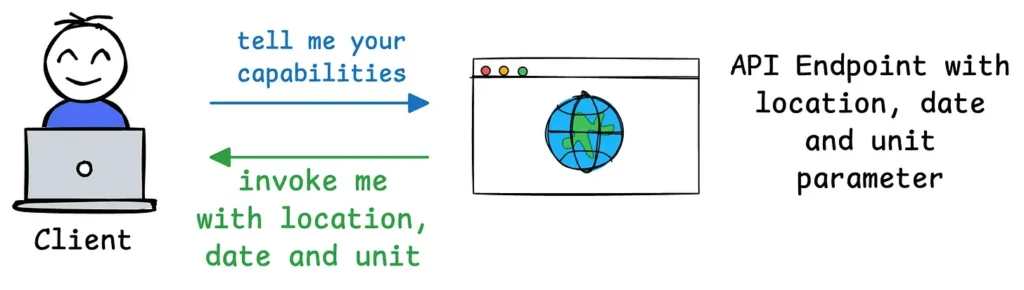
For instance, when a client (e.g., an AI application like Claude Desktop) connects to an MCP server (e.g., your weather service), it sends an initial request to learn the server’s capabilities.
The server responds with details about its available tools, resources, prompts, and parameters. For example, if your weather API initially supports location and date, the server communicates these as part of its capabilities.

If you later add a unit parameter, the MCP server can dynamically update its capability description during the next exchange. The client doesn’t need to hardcode or predefine the parameters—it simply queries the server’s current capabilities and adapts accordingly.

This way, the client can then adjust its behavior on-the-fly, using the updated capabilities (e.g., including unit in its requests) without needing to rewrite or redeploy code.
I hope this clarifies what MCP does and how it compares to traditional APIs.
Do you think MCP is more powerful than traditional API setups?
In upcoming posts, we’ll explore how to build custom MCP servers and share hands-on demos.
Stay tuned!
